 SellerFolio
The back office
TikTok Live sellers
actually run on.
One console that turns a TikTok Shop's raw order, settlement and live-stream data into costed profit, packed parcels and answered returns — with AI doing the reading and humans keeping the pen.
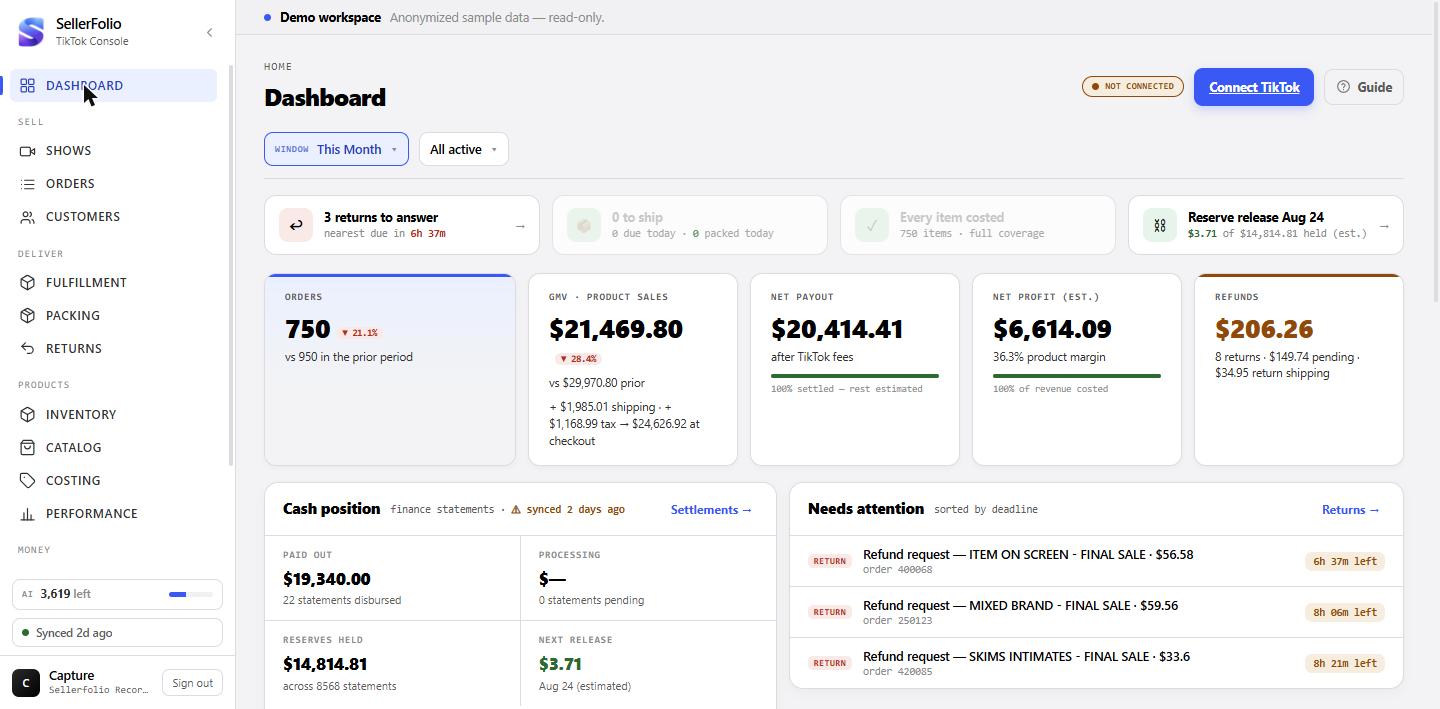
Dashboard — the 30-second brief
Today's deadlines, period sales and cash position on open — plus how much of the window is settled fact vs. still moving.
- Action strip: returns to answer, parcels past ship-by, items missing cost, reserve releases.
- Five KPI tiles — orders, GMV, net payout, net profit, refunds — each a doorway to the screen that owns the number.
- Trust strip: % of orders settled, % of revenue costed — the console refuses to let half-costed data pose as final profit.
- Three labelled clocks (order date, statement date, live) so "contradicting" figures reconcile on sight.
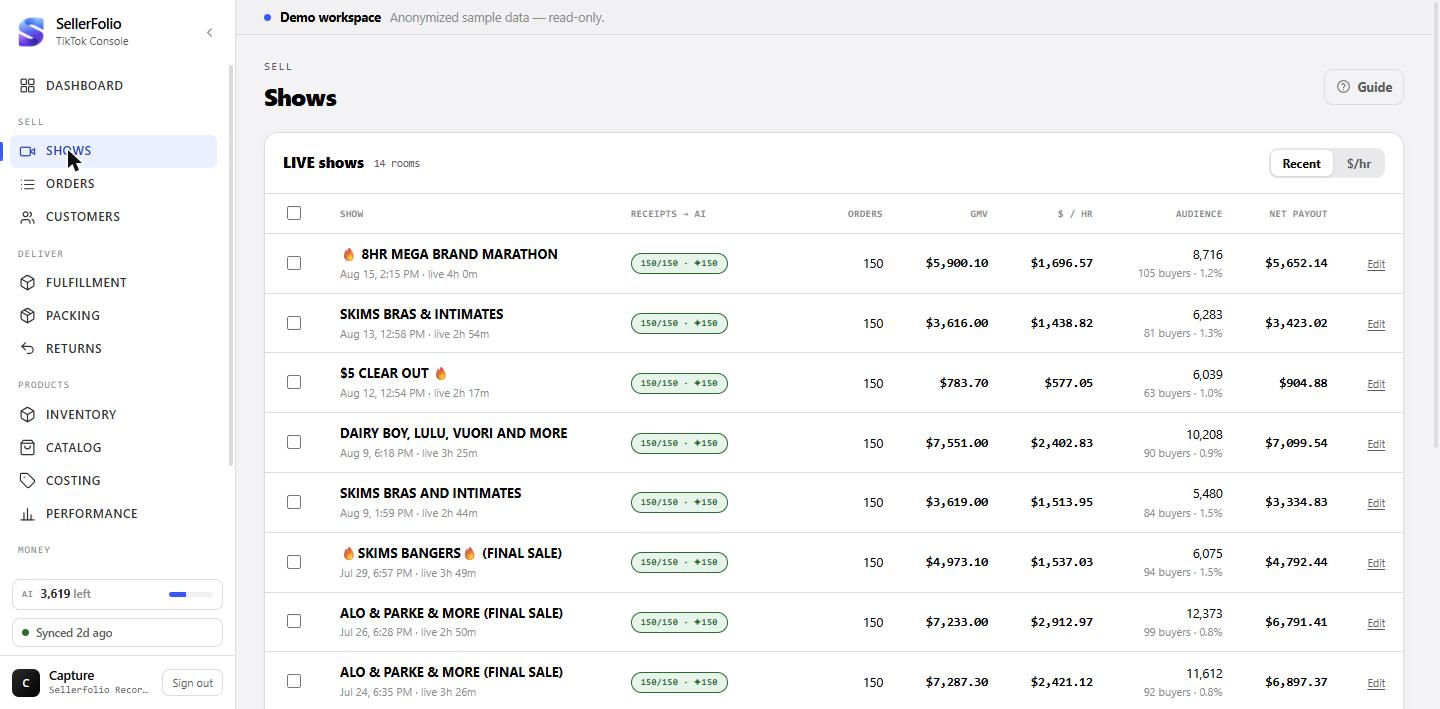
Shows — every broadcast, ranked by $/hour
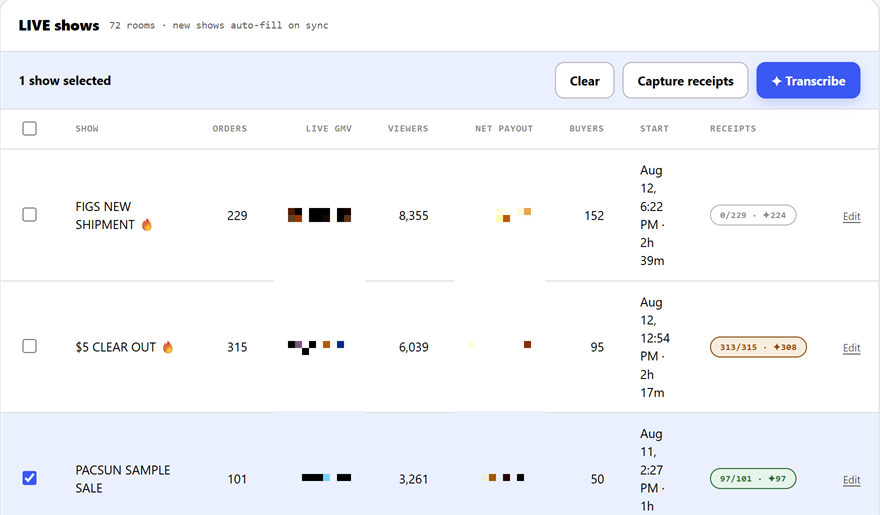
Every TikTok room discovered from orders, ranked by dollars per hour — and matched to the video receipts of what was held up on camera.
- Show list: orders, GMV, $/hr, audience, net payout per room; name and compare broadcasts.
- Show page: money-pace curve, selling-intensity bars, hour-by-hour table, fees & payout.
- Receipts & AI: one-click capture of video-receipt links via the Chrome extension; server-side transcription turns each clip into brand / item / colour / size.
- Capture is free and re-runnable; transcription is the metered step, queued with progress and cancellation.
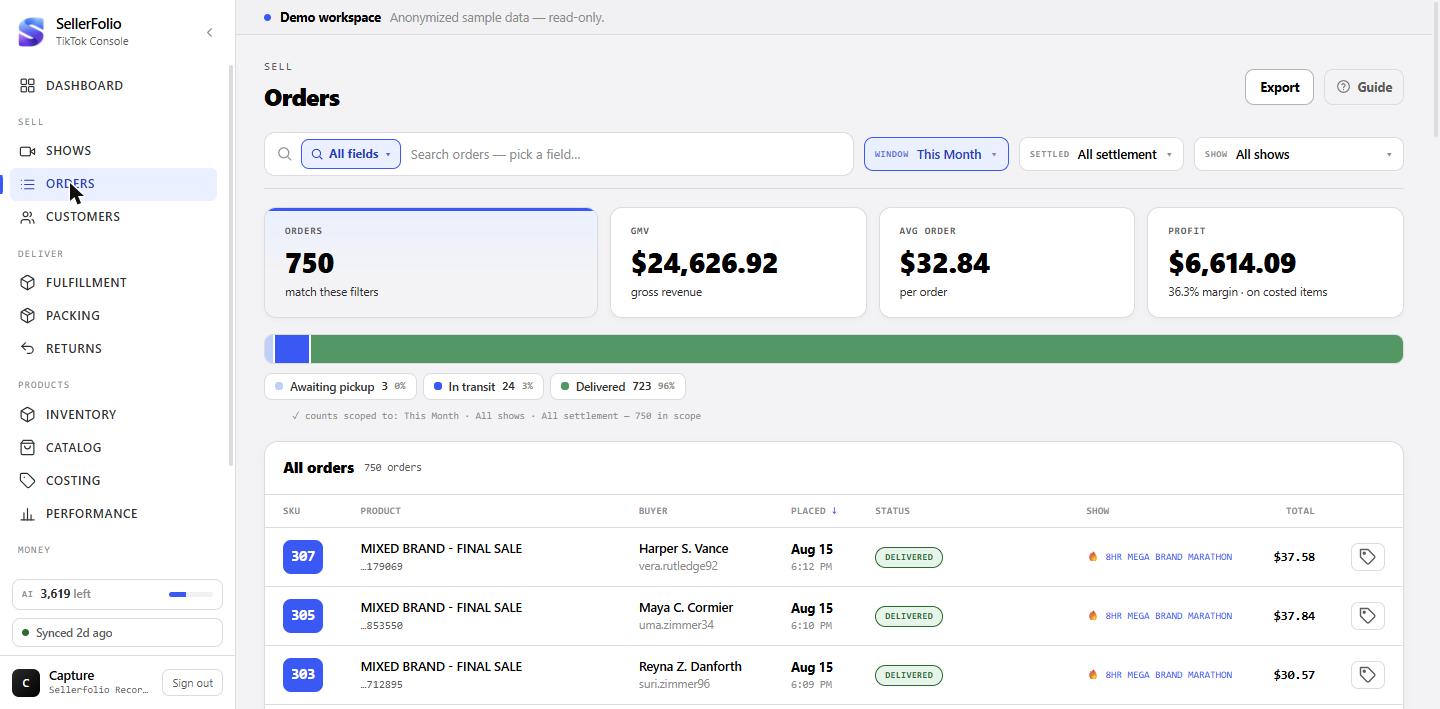
Orders — the ledger, drilled to the dollar
Every order searchable by any field, filterable by stage, show or settlement — and one drawer deep per order.
- Ledger: time window, settlement filter, show picker, field-scoped search, stage strip.
- Order drawer: status history, money, package & tracking, items/splitting, AI video receipt.
- Settlement receipt on demand: itemised by posting leg with TikTok's own field names — the order's financial birth certificate.
- Label write-back: warns when TikTok hasn't received tracking and writes carrier + tracking back, preventing auto-cancellation.
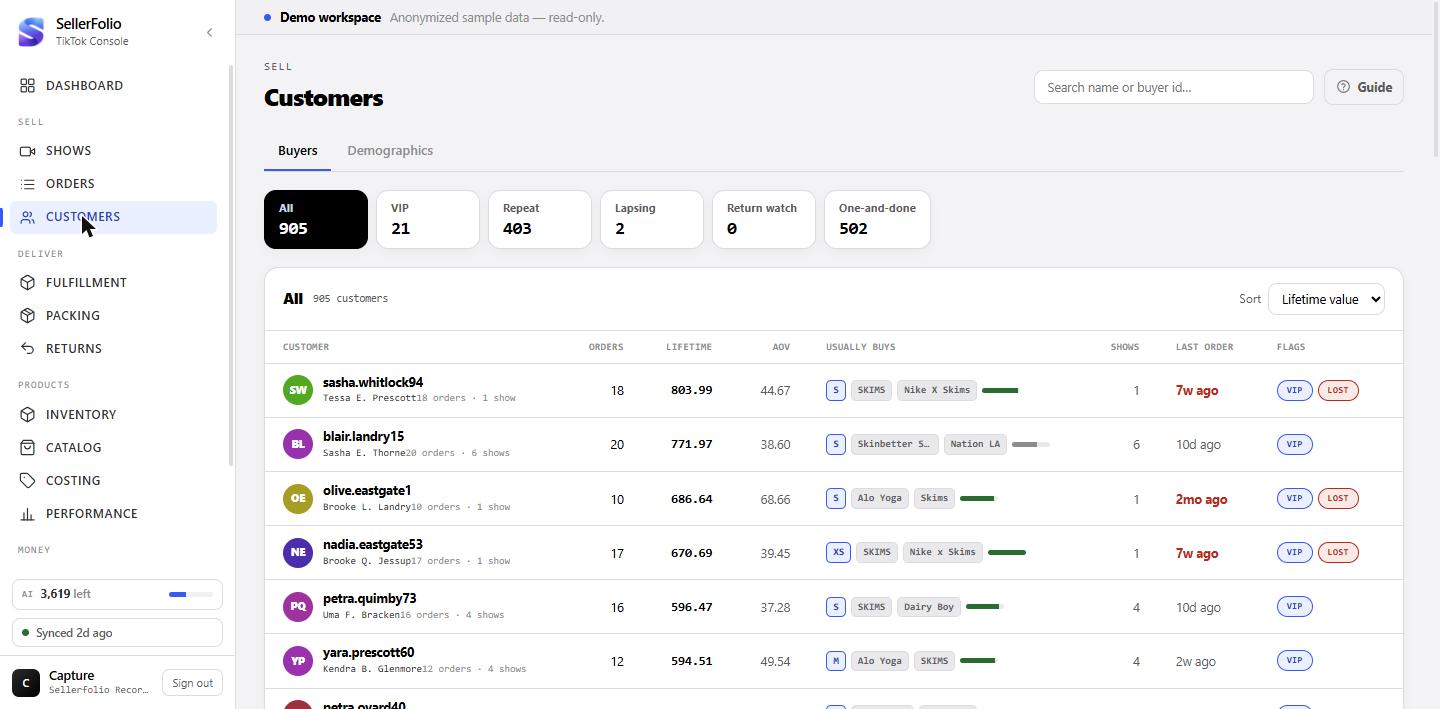
Customers — a CRM TikTok never built
Buyers keyed on TikTok's stable buyer ID — segmented, flagged, and mapped — with coverage meters that admit when the data is thin.
- Buyers grid: segments for VIP, repeat, lapsing, return-watch, one-and-done — with exact published thresholds.
- Buyer drawer: lifetime value, shows bought from, returns, recent orders.
- AI "usually buys" tags: size/brand/colour projected from show transcripts, each with an explicit confidence band.
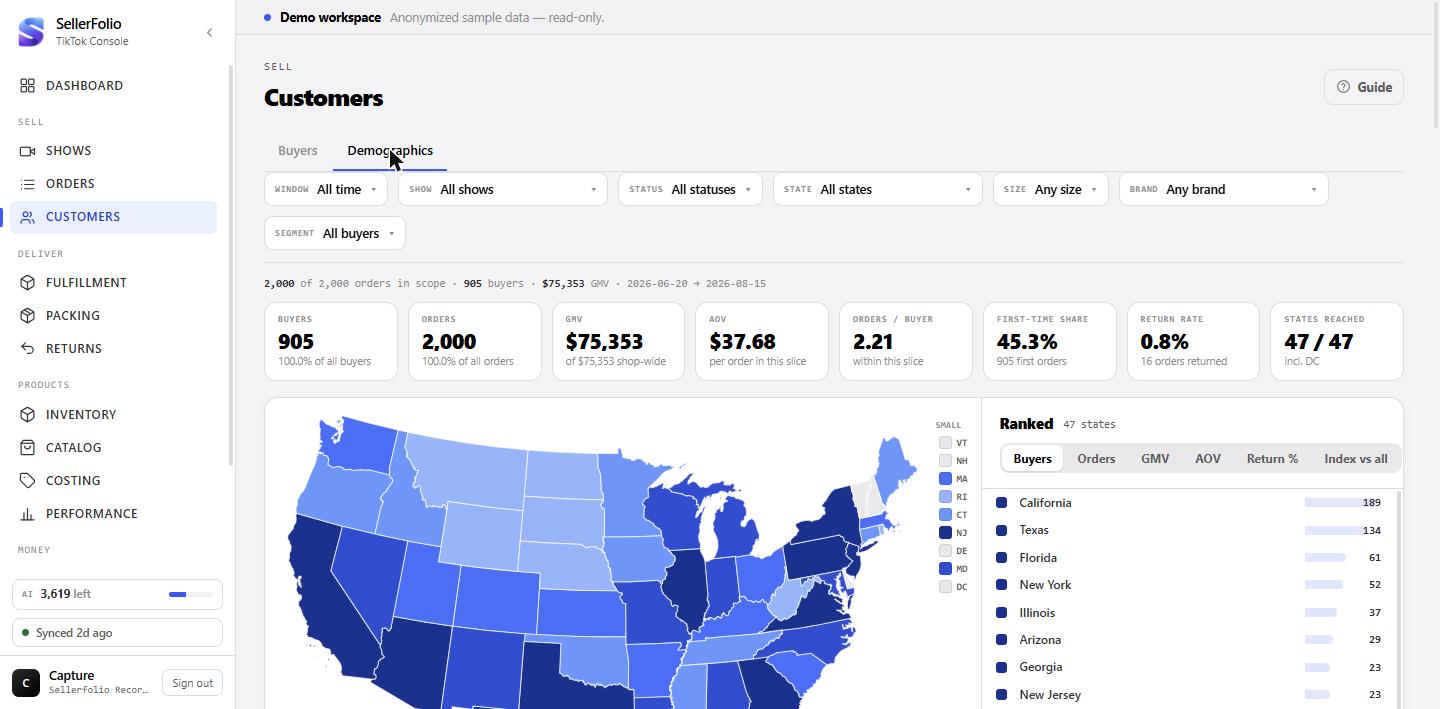
- Demographics tab: US choropleth, ZIP3/city demand, when-they-buy, loyalty, audience by show.
Fulfillment — queue → labels → proof of delivery
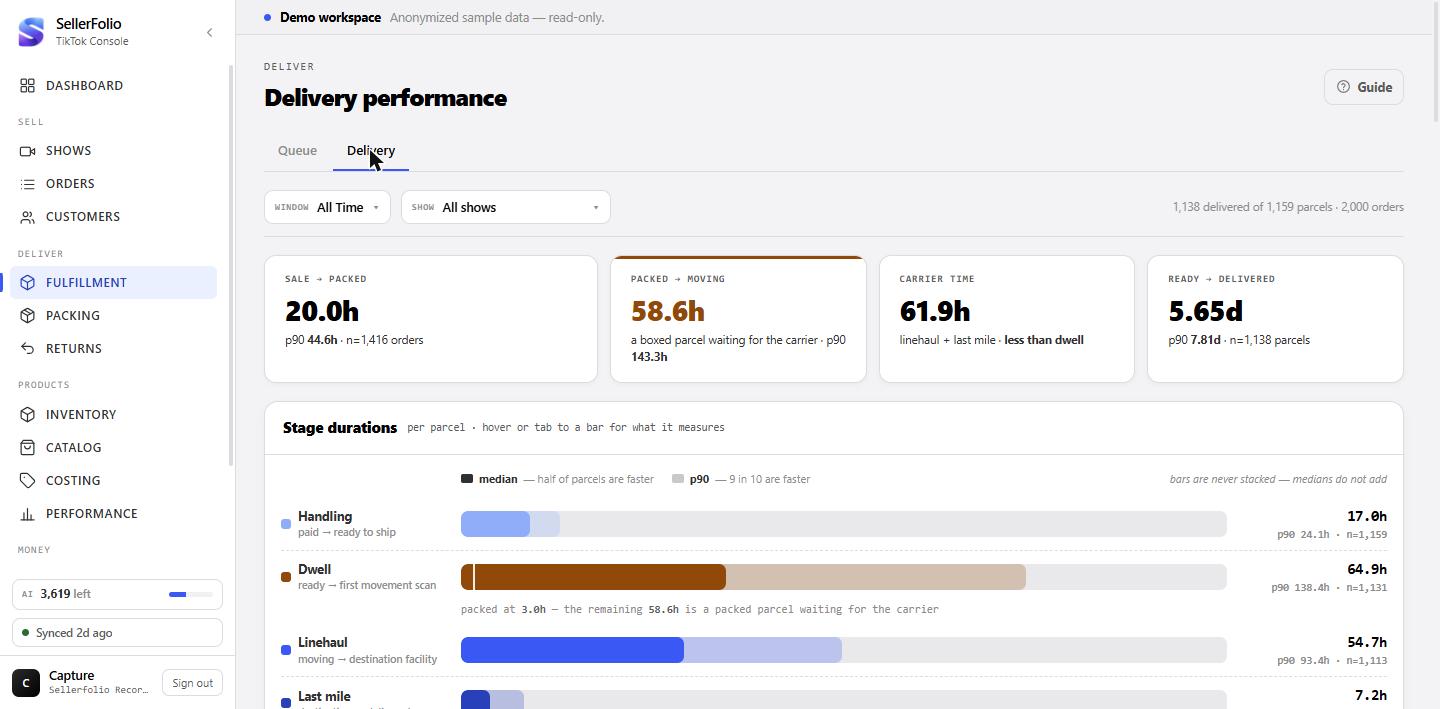
From "to ship" to "delivered" in one screen: buy labels, consolidate parcels, track carriers, and see where the days actually go.
- To-ship queue with ship-by urgency bands and same-buyer consolidation into one parcel.
- Manifest dock: ready-to-buy vs. needs-attention, box & weight source, printable manifest.
- Shipping-margin preview before you buy — buyer-paid shipping vs. label cost, so money-losing labels never ship by accident.
- In-transit tracking: background scan poller, five-stop journey rail, stuck / failed / SLA-breach verdicts.
- Delivery tab: stage-by-stage dwell chart with median & p90, by destination state.
Packing — the warehouse bench
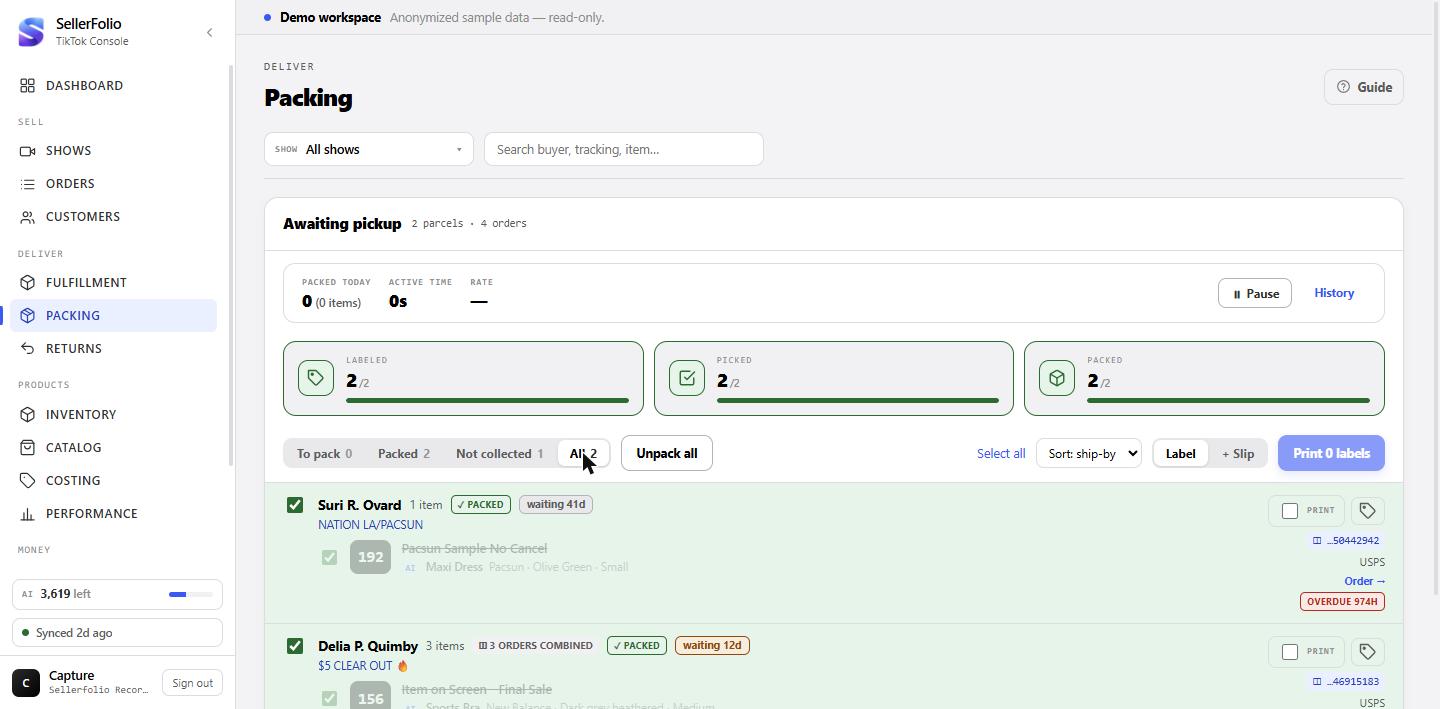
A bench loop built for speed and forgiveness: tick parcels, print labels in batch, pull cancelled items — nothing irreversible.
- Fast tick for the common case; careful pick drawer for multi-item orders; "mark all packed" for the run.
- Batch label printing: label or label+slip, merged into one PDF for the printer.
- Cancelled-item pull list so refunded items never leave the building.
- Honest packing timer: idle threshold adapts to each packer's own median pace — fast workers aren't nagged, slow runs aren't flattered.
- "Not collected" filter surfaces parcels sitting ready-to-ship for 2+ days.
Returns — beat the auto-refund clock
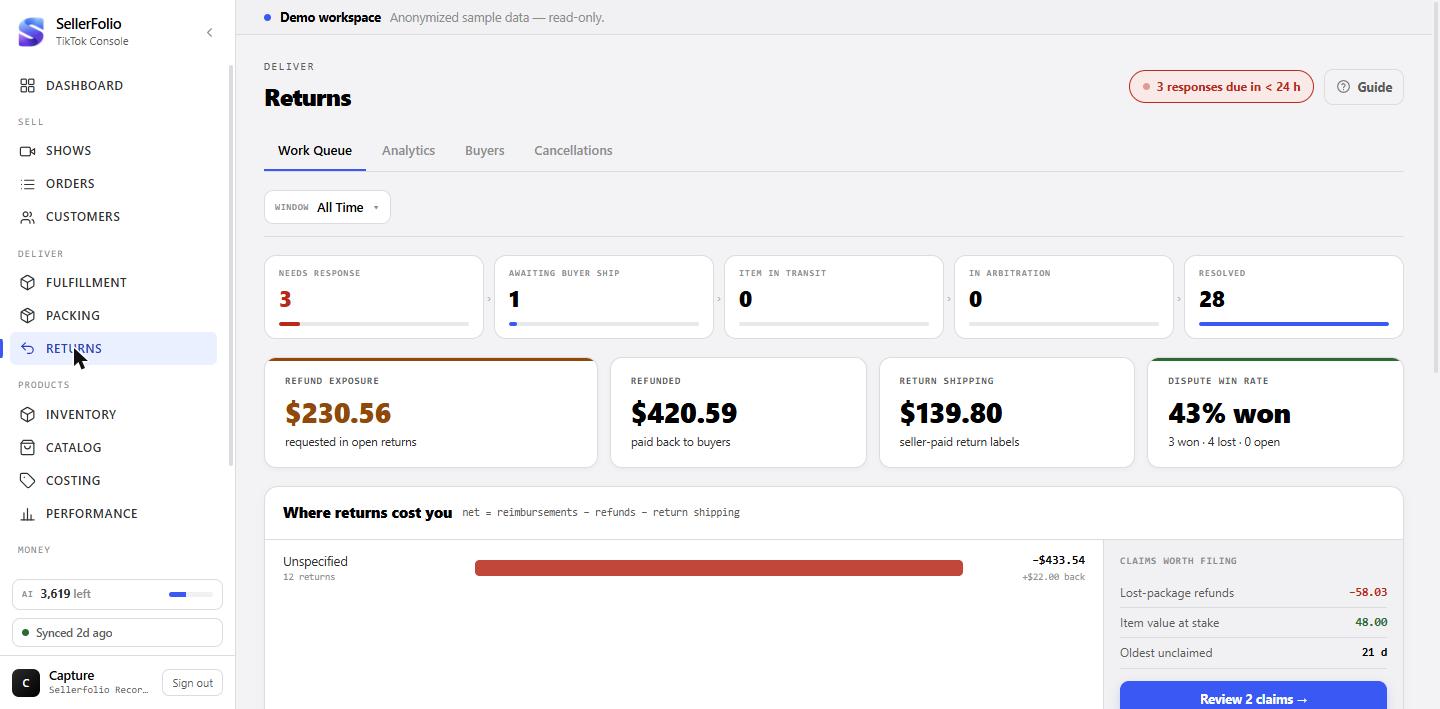
TikTok auto-approves unanswered returns. This screen is built around never missing that deadline — then around what returns cost and who drives them.
- Deadline colour-coding: overdue / <12h / 12–24h / 1–2d / safe — the queue sorts itself by risk.
- Bulk approve re-checks live eligibility with TikTok one return at a time — no stale approvals.
- Analytics: return rate (with its denominator stated), refunds vs. label cost, priority brand, margin kept — by brand and by show.
- Buyer review: seller-side issues checked first; every observation labelled fact vs. hypothesis.
Inventory — what you have, what it's worth
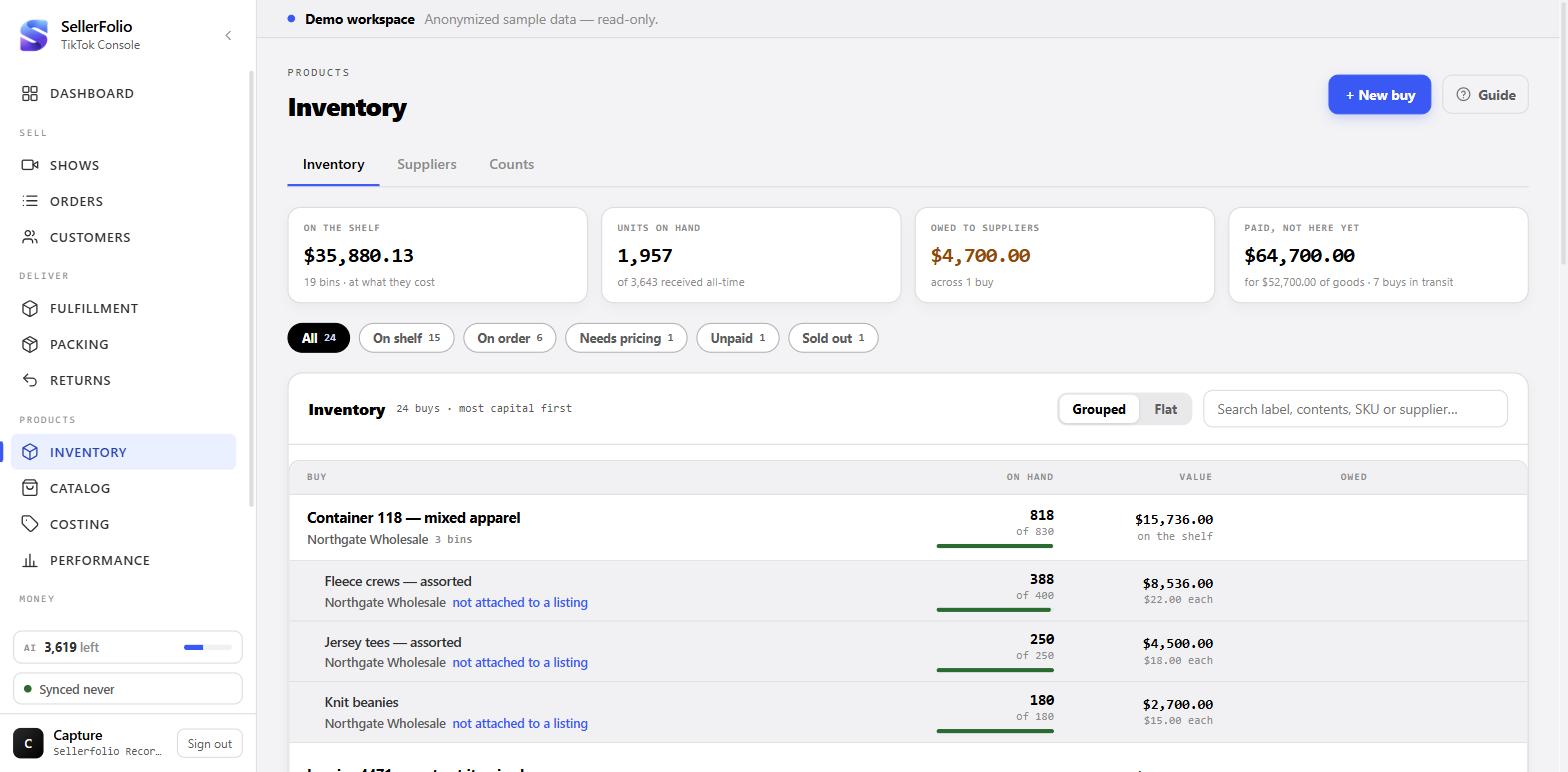
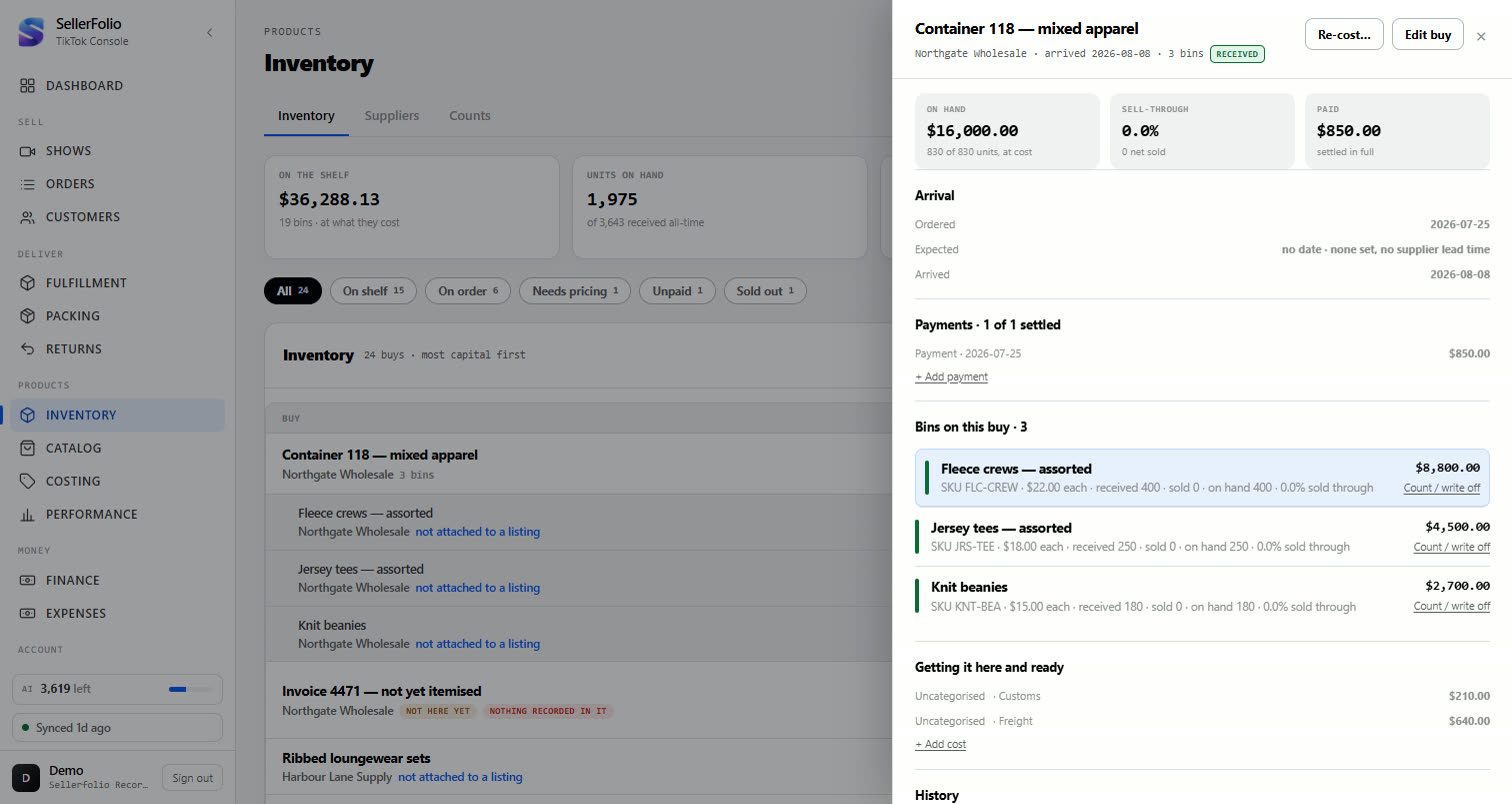
A real stock ledger: record buys as bins, attach them to listings, count what survived, and write off what didn't — with the P&L booked correctly.
- Record a bin: total, units, landed costs — freight and fees spread into unit cost.
- Stock tab & lot card: on-hand, value at cost, sell-through, full movement ledger per lot.
- FIFO or weighted-average binding with a preview that says exactly how many lines get costed, from which bins, before anything is written.
- Counts & write-offs: damaged / lost / sample book to the P&L; a miscount doesn't — no money was lost.
- Re-cost when a supplier credit changes a purchase total.
Catalog — one identity per product
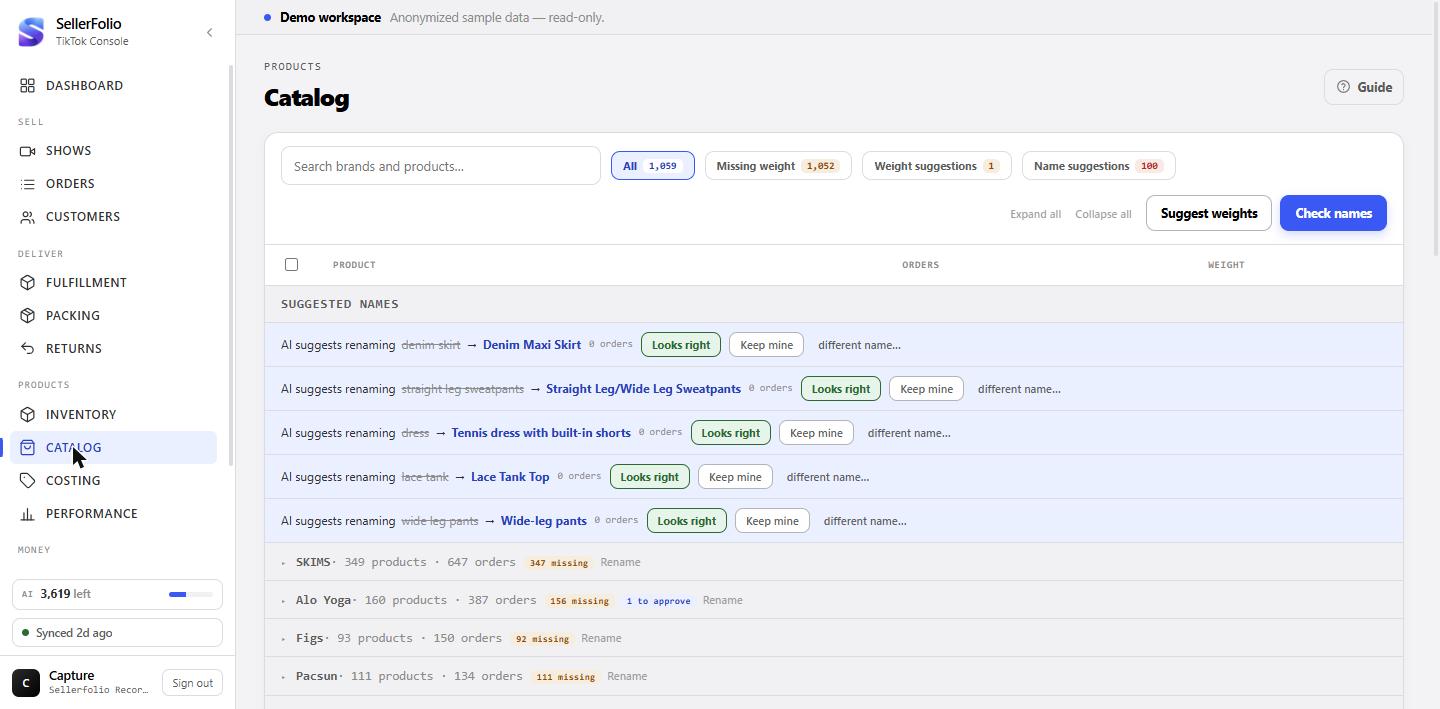
The master that normalizes what AI heard on the stream into clean brand and product names — so every other screen groups the same item together.
- Brand-grouped list with filter chips: missing weight, weight suggestions, name suggestions.
- AI weight lookup per item or as a capped sweep — but labels only ever use weights a person approved. Wrong AI answers can't reach a shipment.
- AI name clustering can settle on the correct real-world spelling even when it appears nowhere in the raw transcripts.
- Manual rename & merge for the cases a human settles in two seconds.
Costing — COGS, with a memory
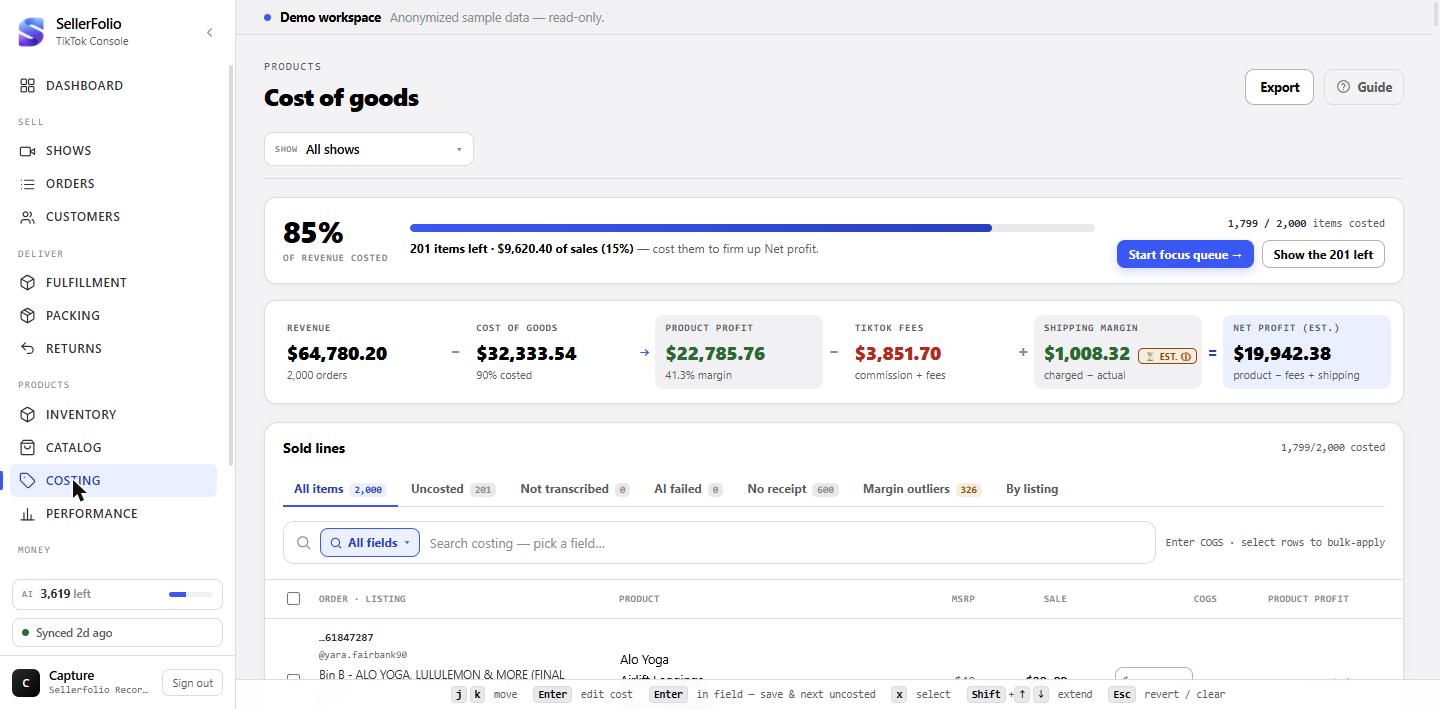
The workbench that turns sold lines into costed profit: AI identity, cost memory, bulk actions and outlier checks.
- Coverage bar + profit strip always say how much of the book is costed.
- Inline costing with keyboard shortcuts and a focus queue — built for hundreds of lines a day.
- Cost memory applies a past cost only when it's consistent (≥80% agreement or five consecutive matches) — otherwise it says "history unclear" instead of guessing.
- ✦ Identify transcribes the video receipt into brand/item/colour/size; fixing one brand can instantly cost a whole family of lines.
- Margin-outlier tab flags the costs worth a second look.
Performance — analytics that show their working
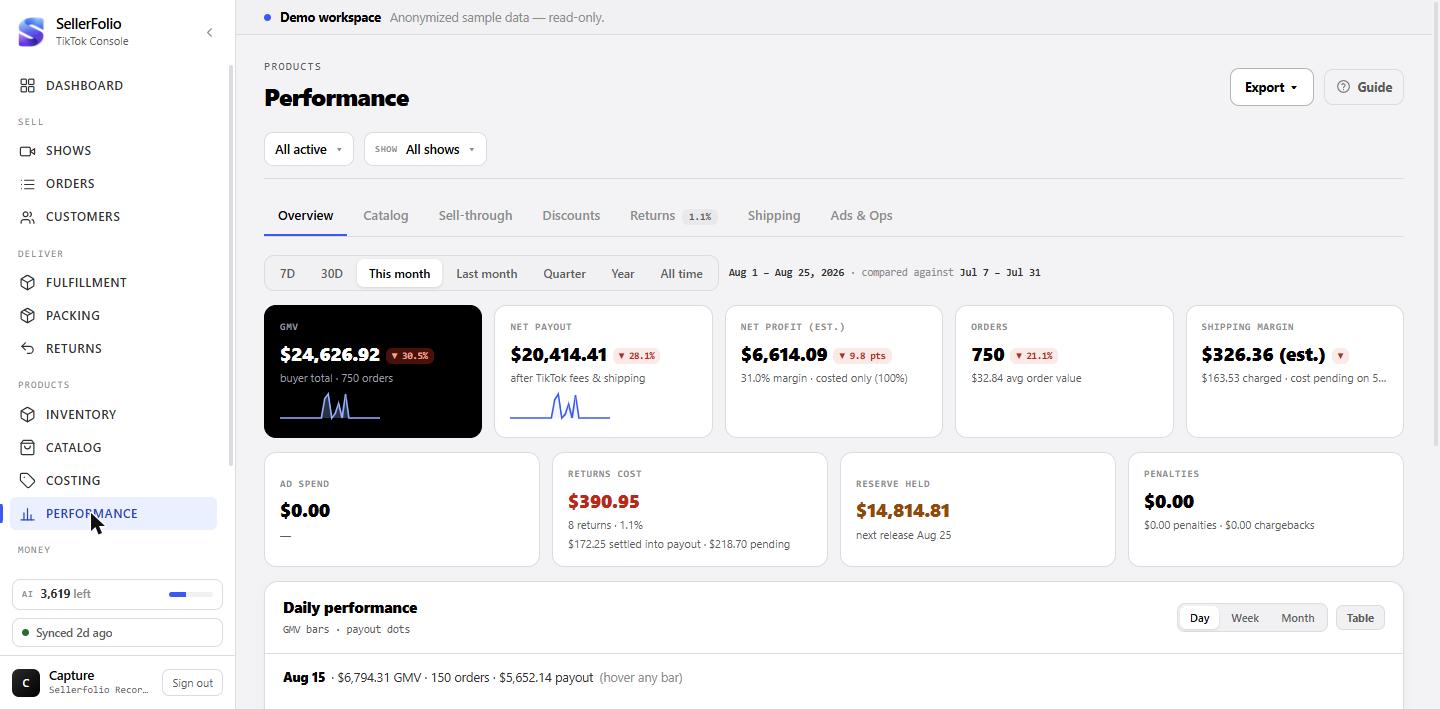
What sold, how fast, what came back, and whether shipping and ads actually pay — every metric with its formula and denominator stated.
- Overview: nine KPIs, trend chart, insight cards.
- Show quadrant: every broadcast plotted GMV vs. costed margin — Winners / Scale these / Watch / Fix margin.
- Shipping tab: margin curve answers "does consolidating parcels pay?", with sparse data drawn honestly (hollow and thin-line) instead of smoothed over.
- Ads & Ops: spend, ROAS, packing and label costs against sales.
Finance — reconciliation to the cent
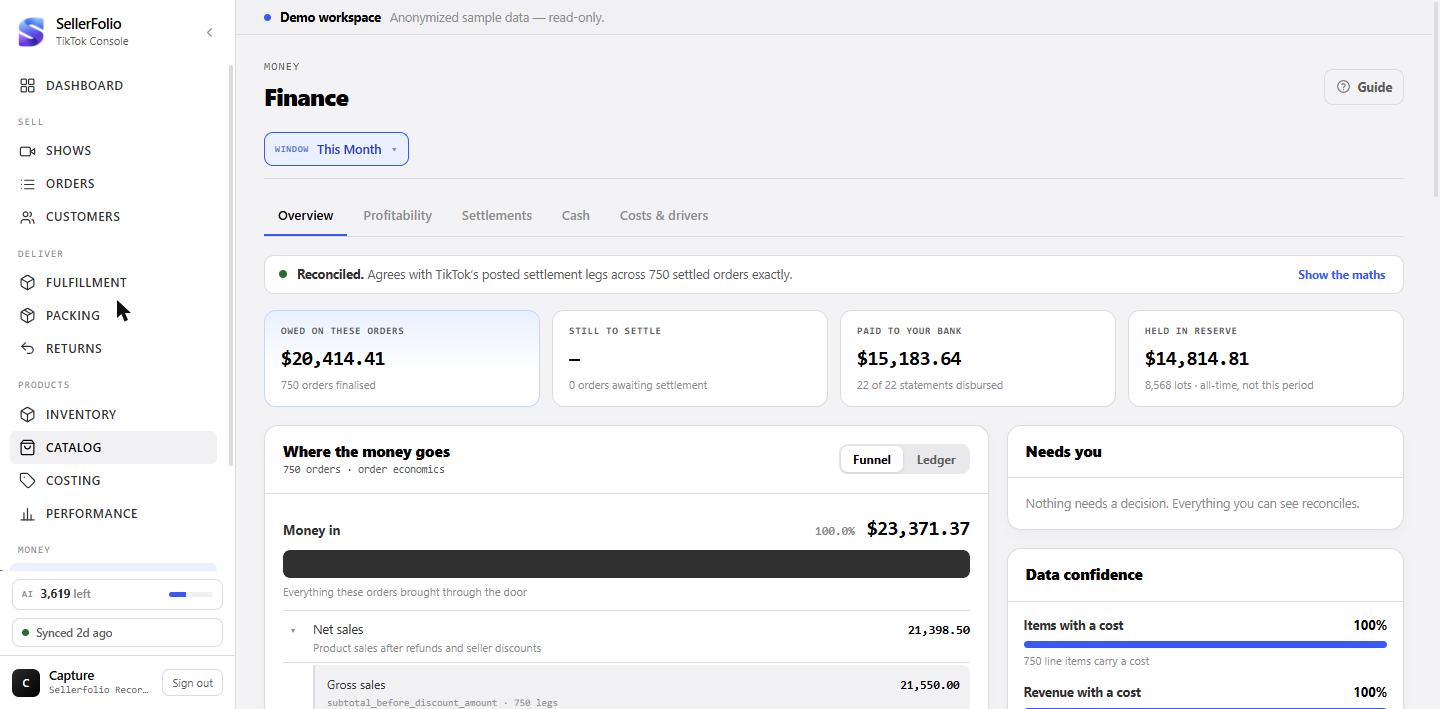
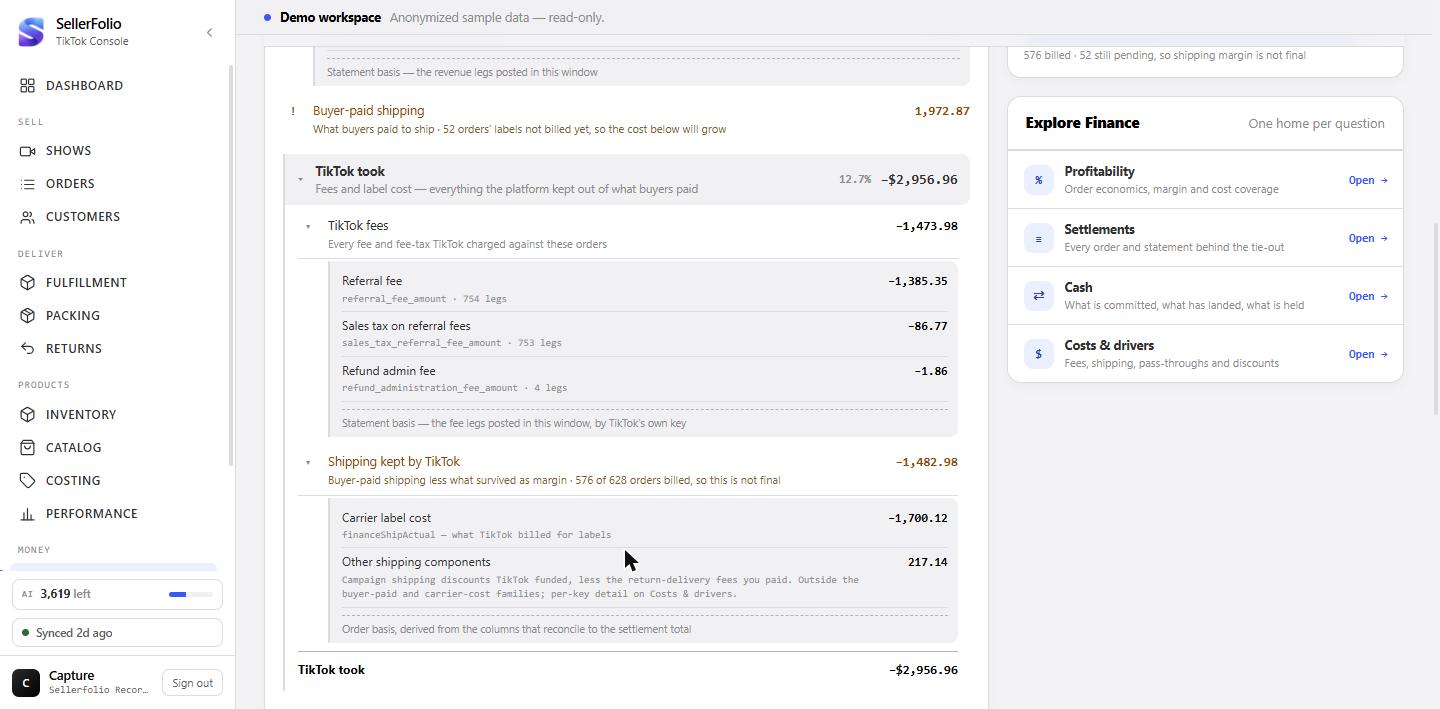
TikTok's settlement legs, reconciled against the books, traced from gross sales to the payout that hit the bank.
- First line says "Reconciled" or "Off by $X" — and expands to the full equation ending at TikTok's own settlement total.
- Where the money went: funnel view or signed ledger, TikTok fees itemised by fee key.
- Cash tab: committed cash over the next 30 days, reserve releases, payout timeline.
- Data dictionary: every label mapped to the exact TikTok Finance API field — disputes argued in TikTok's own language.
The capture extension — receipts from the source
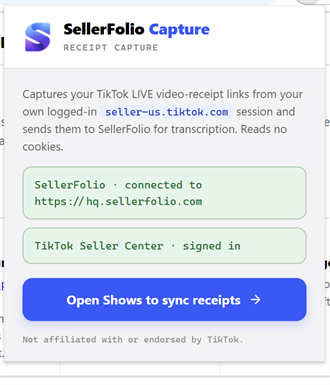
A small Chrome extension that pulls video-receipt links from the seller's own signed-in Seller Center session and pairs them to shows in one click.
- Reads no TikTok cookies. It asks the signed-in page for receipt links and sends only order id, room id, video URL and timestamp.
- Pair once with a workspace token; green CAPTURING pill when live; tokens revocable from Settings.
- One-click per show: select the room, press Capture receipts, watch the chip turn green — e.g. 97 of 101 orders now carry a video receipt.
- Those receipts are what feed ✦ transcription, Costing identity, Catalog names and buyer preferences.
 SellerFolio
From "went live"
to "made money" —
with nothing in between lost.
Shows → orders → costing → fulfillment → returns → reconciliation. One console, one login, every dollar accounted for.