edge://extensions, but this guide was written and tested on Chrome.)
Install it in Chrome
Download, unzip, and load the folder into Chrome.
Download the extension
In SellerFolio, open Settings → Video-receipt capture and click Download the .zip. Chrome saves it to your Downloads folder.
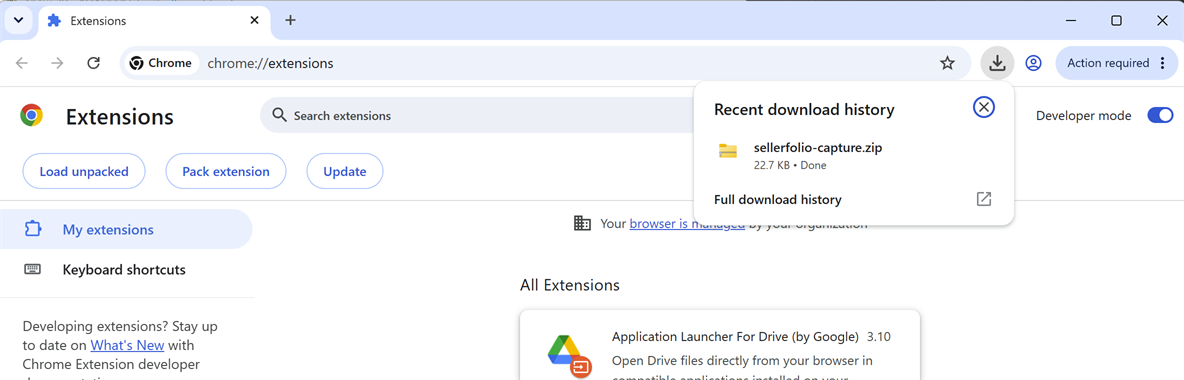
Unzip it — properly
Right-click the downloaded file → Extract All… (on a Mac, just double-click it).
You should end up with a folder containing manifest.json, background.js,
popup.html and a few others.
manifest.json sits directly inside the folder you end up with, not inside another folder within it.
Move the folder somewhere permanent
Chrome does not copy the extension — it loads it from this folder every time it starts. Put it
somewhere you won't clean out, like Documents\SellerFolio Capture. If the folder is later
moved, renamed or deleted, capture silently stops working.
Open Chrome's Extensions page
Type or paste chrome://extensions into the address bar and press Enter. Chrome blocks links
to its own settings pages, so this one can't be a button — the Settings card has a
Copy shortcut next to it.
Turn on Developer mode in the top-right corner.

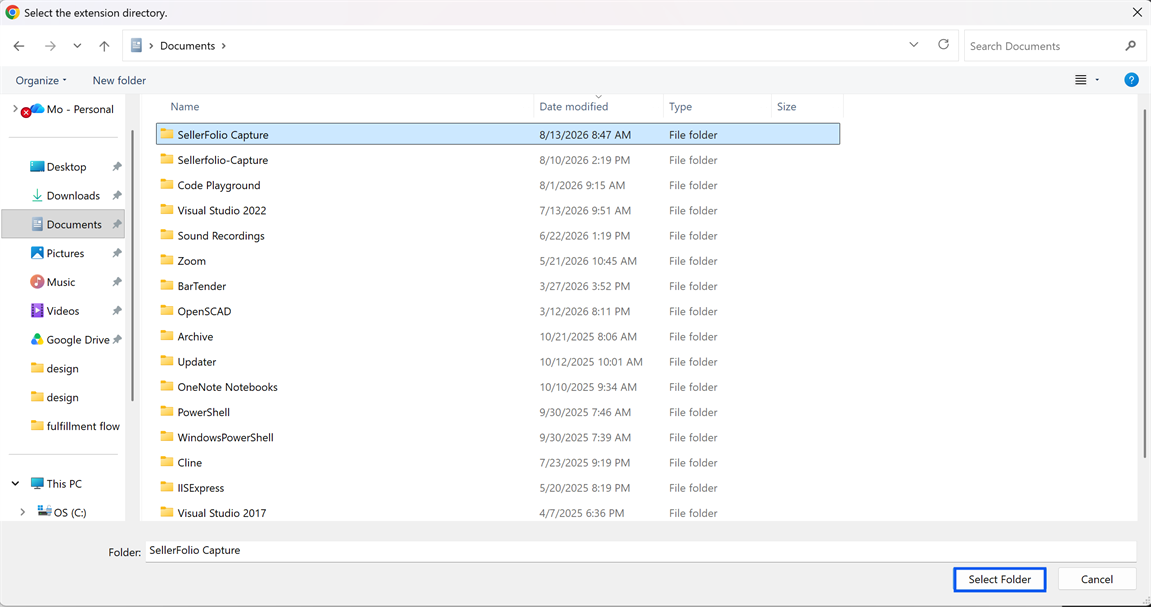
Click "Load unpacked"
Turning Developer mode on reveals a new row of buttons. Load unpacked is the one you want.

Chrome opens a folder picker titled Select the extension directory. Select the folder itself — a single click to highlight it, then Select Folder. Do not open the folder first, and do not pick a file inside it.
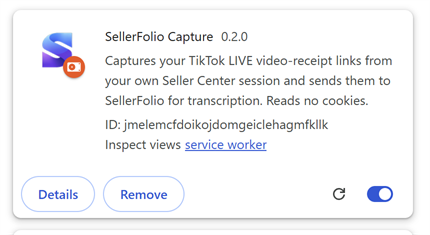
Check the card that appears
SellerFolio Capture now has a card on the Extensions page. The ID underneath should read
exactly jmelemcfdoikojdomgeiclehagmfkllk — that is the address SellerFolio uses to talk to
the extension, so if it reads anything else, pairing in Part 2 will not work.
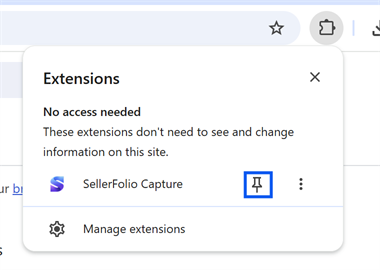
Pin it to the toolbar
Click the puzzle-piece icon in Chrome's toolbar, find SellerFolio Capture, and click the pin. This is optional, but the pinned icon is how you check the connection later, so it's worth doing now.

Connect it to your workspace
Installed is not the same as connected. Pairing tells the extension where to send receipts.
Reload the SellerFolio tab
Go back to your SellerFolio tab and reload the page (F5, or Ctrl+R / Cmd+R). Chrome only reveals a newly installed extension to a page that has loaded since the install — without this reload, SellerFolio genuinely cannot see it.
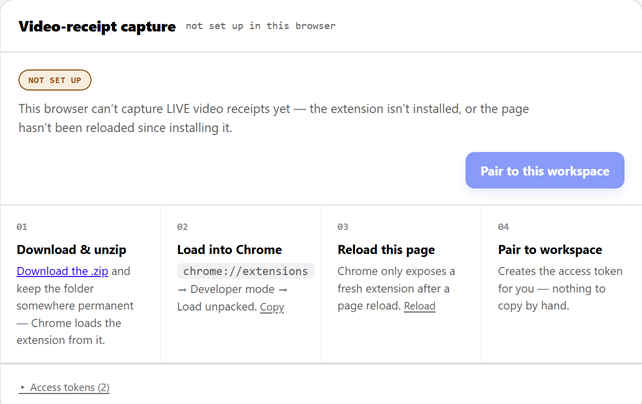
Click "Pair to this workspace"
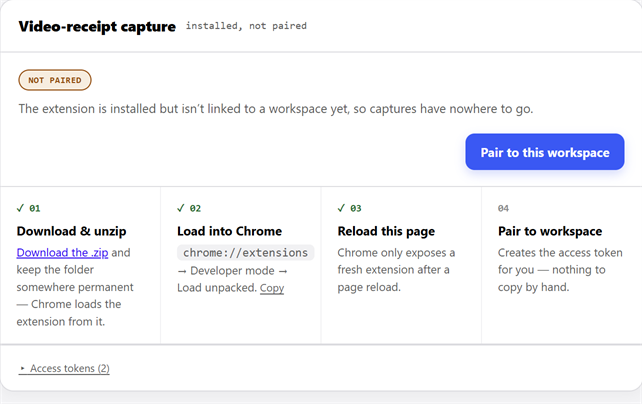
After the reload, the card should say installed, not paired, with steps 01–03 ticked off. Click the button. It creates the access token for you — there is nothing to copy or paste by hand.
Confirm it went green
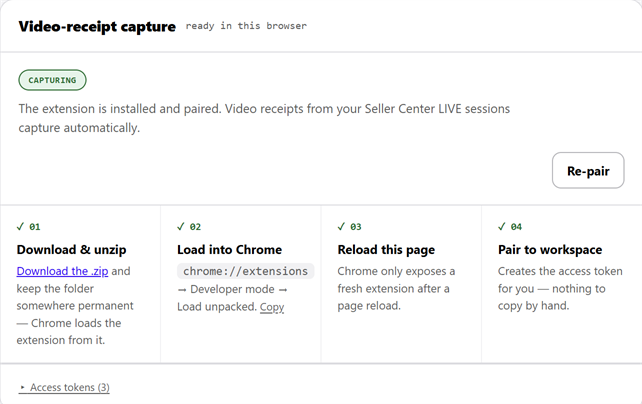
The pill flips to CAPTURING and all four steps tick. That is the whole setup.
Capture your first show
Receipts come out of your Seller Center session, so you have to be signed in to it.
Sign in to Seller Center — in this same browser
Open seller-us.tiktok.com and sign in. This is a separate login from SellerFolio, and it is the one that actually fetches the receipts, so it has to be live in the same Chrome you just set up.
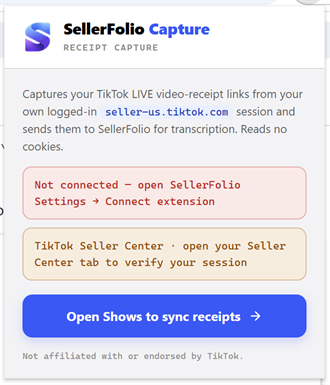
Now click the pinned S icon. Both lines should be green:
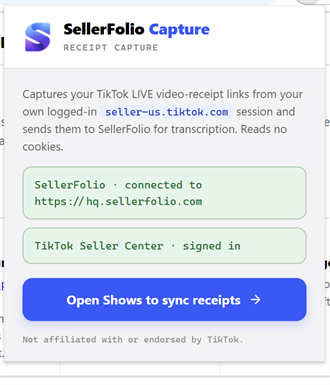
If either line is red or amber, the troubleshooting table below says what each one means.
Select a show and capture
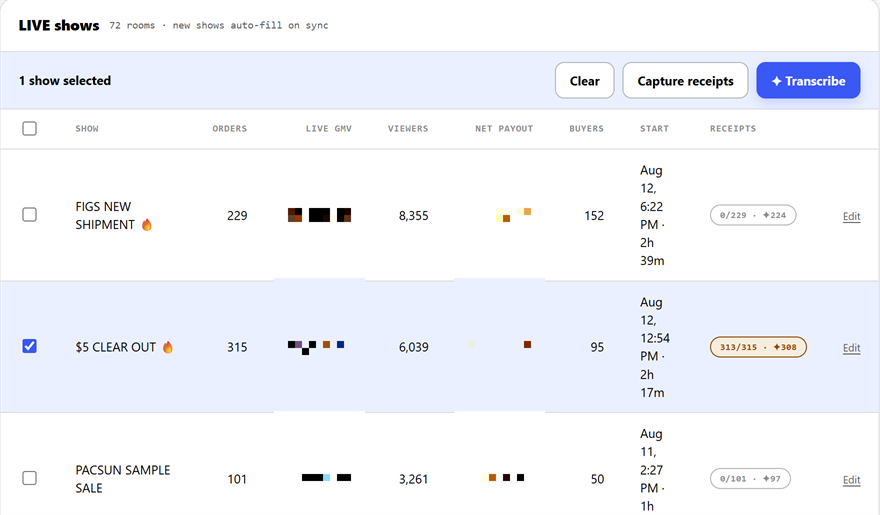
Open Shows and tick the checkbox on a show that had auction sales. Capture works on selection — there is no button on the row itself. With at least one show ticked, the action bar appears; click Capture receipts.
Watch the receipts chip
Chrome will visit your Seller Center tab in the background to collect the links. When it finishes, the show's RECEIPTS chip turns green and shows how many of the show's orders now have a receipt on file.
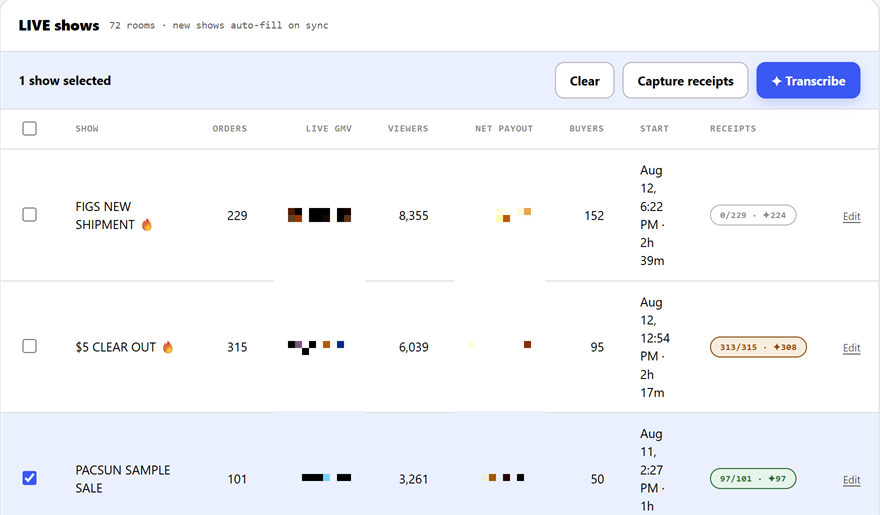
0/101 before, green 97/101 after. Only auction sales carry a video receipt, so the count won't always reach the full order count.Transcribing is the separate step next to it. That one runs on SellerFolio's servers, needs no extension, and turns the captured clips into the brand and item that was actually said on air.
When something looks wrong
What each message means, and the fix.
| What you see | What it means | Fix |
|---|---|---|
| Card still says not set up after installing | The page hasn't been reloaded since the install, or the extension is switched off. | Reload the SellerFolio tab. If it persists, check chrome://extensions — the card's toggle must be blue. |
| Pairing didn't confirm | The extension didn't answer in time. | Reload the page and click Pair to this workspace again. |
| Popup: Connection expired | The access token this browser was using has been revoked in Settings. | Settings → Video-receipt capture → Re-pair. |
| Popup: Seller Center · SIGNED OUT | Your TikTok session has lapsed. Captures will return nothing. | Sign in again at seller-us.tiktok.com in this same browser. |
| Popup: open your Seller Center tab to verify your session | Advisory, not an error — no Seller Center tab is open, so the extension can't check. | Open Seller Center in a tab if you want the check to run. |
| Popup: Can't reach… | The browser couldn't reach SellerFolio at all. | A network problem, not a pairing problem. Check your connection and reopen the popup. |
| Capture finishes but sends nothing | Usually the show genuinely had no auction sales; sometimes the Seller Center session lapsed. | Check the popup is green on both lines, then try a show you know had auctions. |
| The extension vanished after restarting Chrome | The folder it loads from was moved, renamed or deleted. | Put the folder back, or re-extract the .zip and load it again from Part 1, step 05. |
| Chrome warns about developer-mode extensions | Expected — this extension is installed from a folder rather than the Web Store. | Keep it enabled. Dismissing the warning does not remove the extension. |
Keeping it working
Three things worth knowing once it's running.
It does not update itself
Because it loads from a folder rather than the Chrome Web Store, new versions never arrive on their own.
When SellerFolio tells you a new version is out: download the .zip again, replace the contents of your
existing folder, then go to chrome://extensions and click the circular
reload arrow on the SellerFolio Capture card.
Leave the folder alone
Don't move, rename, or delete it, and don't tidy it into cloud storage that might sync it away. Chrome reads it at every startup.
Revoking a token disconnects that browser
Under Access tokens in the Settings card, each paired browser has a token. Revoking one is the right way to cut off a computer you no longer use — the popup on that machine will start saying Connection expired. To reconnect it, use Re-pair on that machine.